
Portfolio & booking page
Show your work, share your services, and give clients one link to book.

Share one link where clients can see your portfolio, book a session, and pay a non-refundable deposit.
$0 monthly for tattooers and parlors.
Card payments include a 4% booking fee paid by the client. Details
No credit card needed to create an account. For U.S. tattoo businesses. Merchant activation is separate.

Show your work, share your services, and give clients one link to book.

Let clients reserve appointments with a non-refundable deposit.

Manage appointments, reserve time, and control your availability.

Accept card payments by QR code or record cash sales.

Keep client details, appointment history, notes, and reference photos together.

Track sales, profile visits, and booking activity.
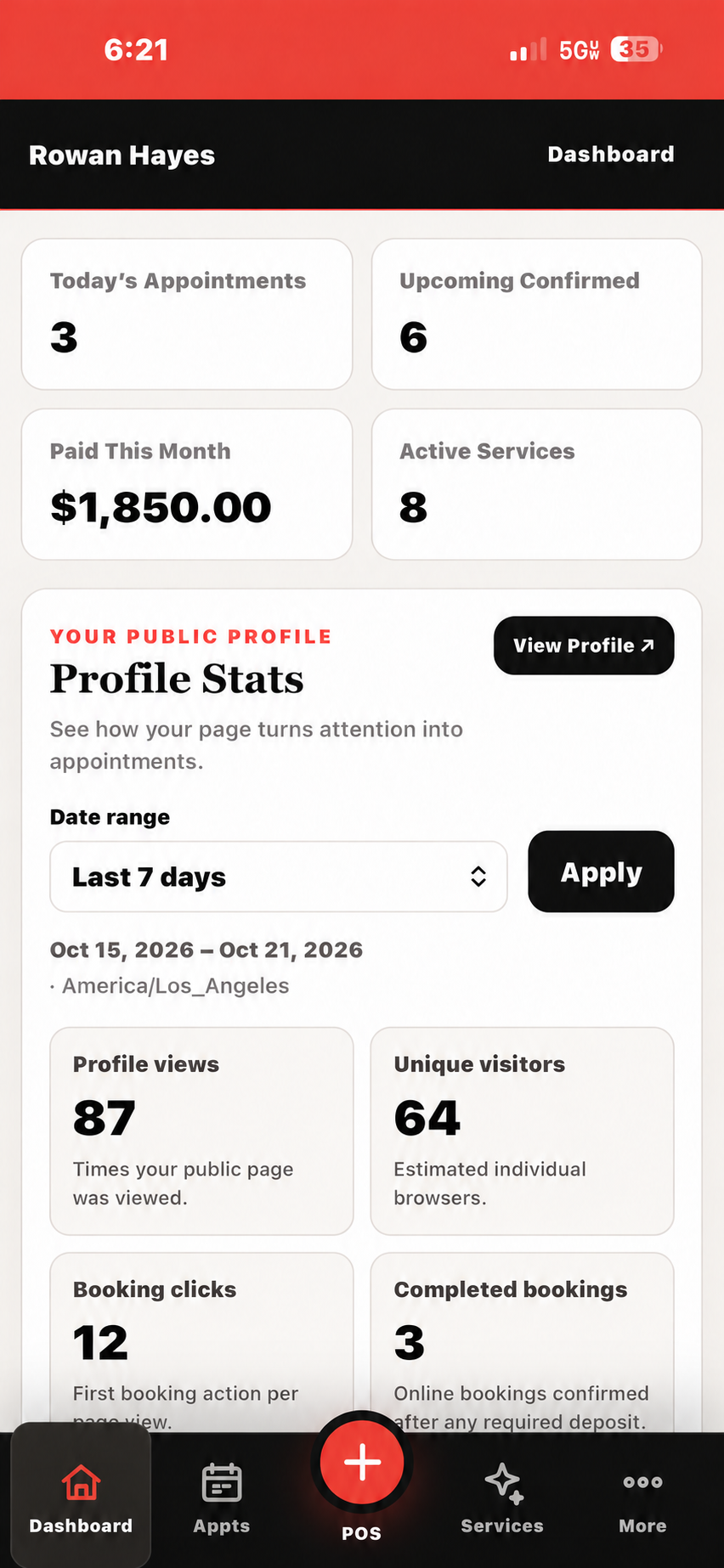
See appointments, payments, and profile activity in one place. Explore the sample dashboard →
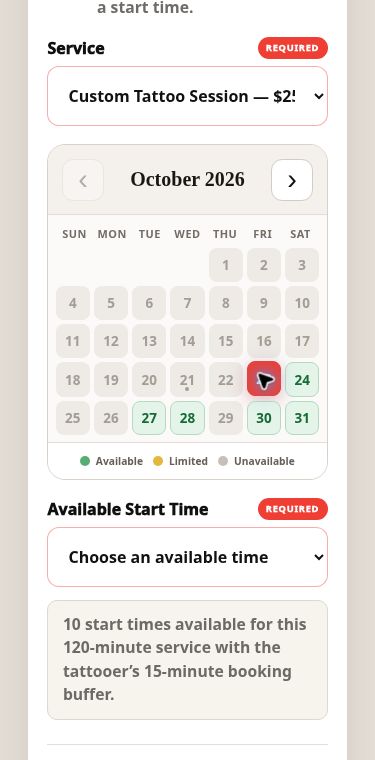
Clients choose from the times you make available. Try the booking calendar →
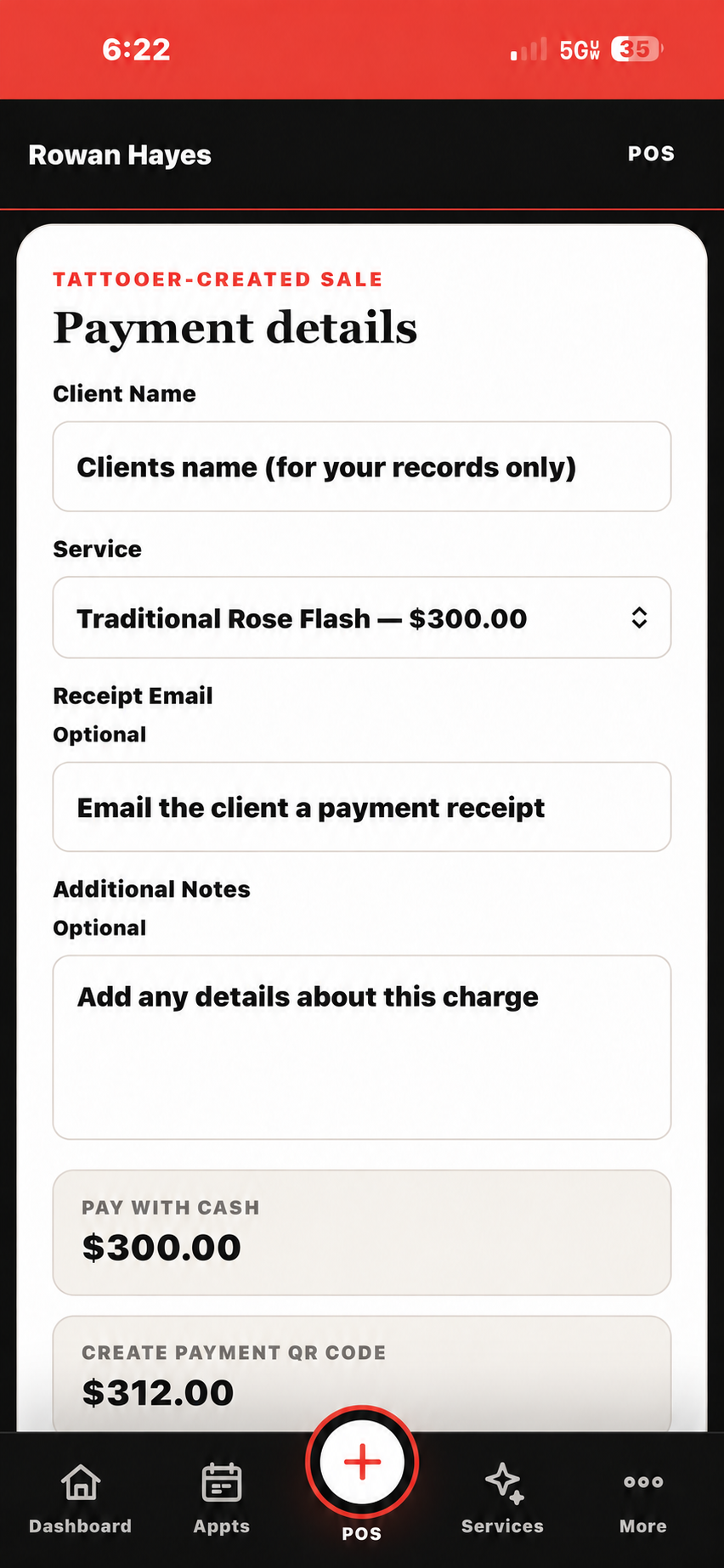
Choose a service and review the cash and card totals. Live card payments require merchant activation. Explore Mobile POS →
Illustrative product screens. Names, account activity, and amounts are fictional.
Choose tattooer or parlor. No credit card is needed to register.
Follow the link in your inbox to confirm your account.
Add your business details. Tattooers can set up their portfolio, services, and availability; parlors can connect their team.
Ready to accept cards? Merchant approval and activation are a separate step. Your payment processor’s merchant-account terms apply. See pricing and funding details →
No subscriptions, feature tiers, or software upgrades to pay for.
Card payments include a 4% client-paid booking fee, shown before checkout. On a $100 card payment, the client pays $104 before any tax or tip. Recording cash sales has no card booking fee.
Next-business-day funding. Available to eligible merchants, subject to transaction cutoff times, bank processing, and merchant-account terms.
Set up your profile first. Live card payments require merchant approval and activation; provider terms apply.
Yes. Tattooer and parlor accounts have no monthly software subscription or feature tiers. A 4% client-paid booking fee is added to card payments and shown before checkout. Cash sales have no card booking fee.
No. Use Parlors POS in your phone, tablet or computer browser with an internet connection. Clients can pay securely from their own phones with major cards, Apple Pay or Google Pay on supported devices.
Yes. Set your services, prices, availability and booking policies, including fixed or percentage non-refundable deposits. Manage appointments, reminders, client notes and remaining balances in one place.
Create and verify your free account, then add your portfolio, services and availability. Live card payments require merchant approval and activation. Parlors POS is available to businesses located and operating in the United States. For help, email hello@parlorspos.com.
Move tattoo bookings from Instagram DMs to one booking link. Keep the personal conversation while organizing available times, deposits and appointment details.
Read guideBuild a client experience worth sharing, from a professional Parlors POS booking page to thoughtful communication, smooth checkout and a personal follow-up.
Read guideA practical workflow for setting tattoo deposits, explaining your booking policies and collecting the remaining balance without losing track of the appointment.
Read guideLess admin. More ink.Have a tattoo shop?
Create a free parlor account ↗